Terraform Plan Viewer
Read your Terraform plans like code reviews, not CLI dumps.
A native Plan Review tab for Azure DevOps build summaries. It renders
terraform plan output as a structured, searchable diff — module tree,
attribute-level before → after, replace reasons, multi-stage selector — instead
of dumping it as text into the build log.
Get it on the Marketplace View on GitHub
Why this exists
Most Azure DevOps pipelines do one of two things with a Terraform plan:
- Dump it as text into the build log. Reviewing means scrolling through
thousands of ANSI-coded lines and hoping
Ctrl+Ffinds what matters. - Generate a static HTML report at pipeline time. Locked to one theme, can't be filtered, can't be searched, and goes stale the moment requirements shift.
Neither is built for the moment that matters: a human deciding whether the change is safe to apply. This extension treats the plan as structured data, not text — so the tab can do everything a code reviewer needs.
What you get
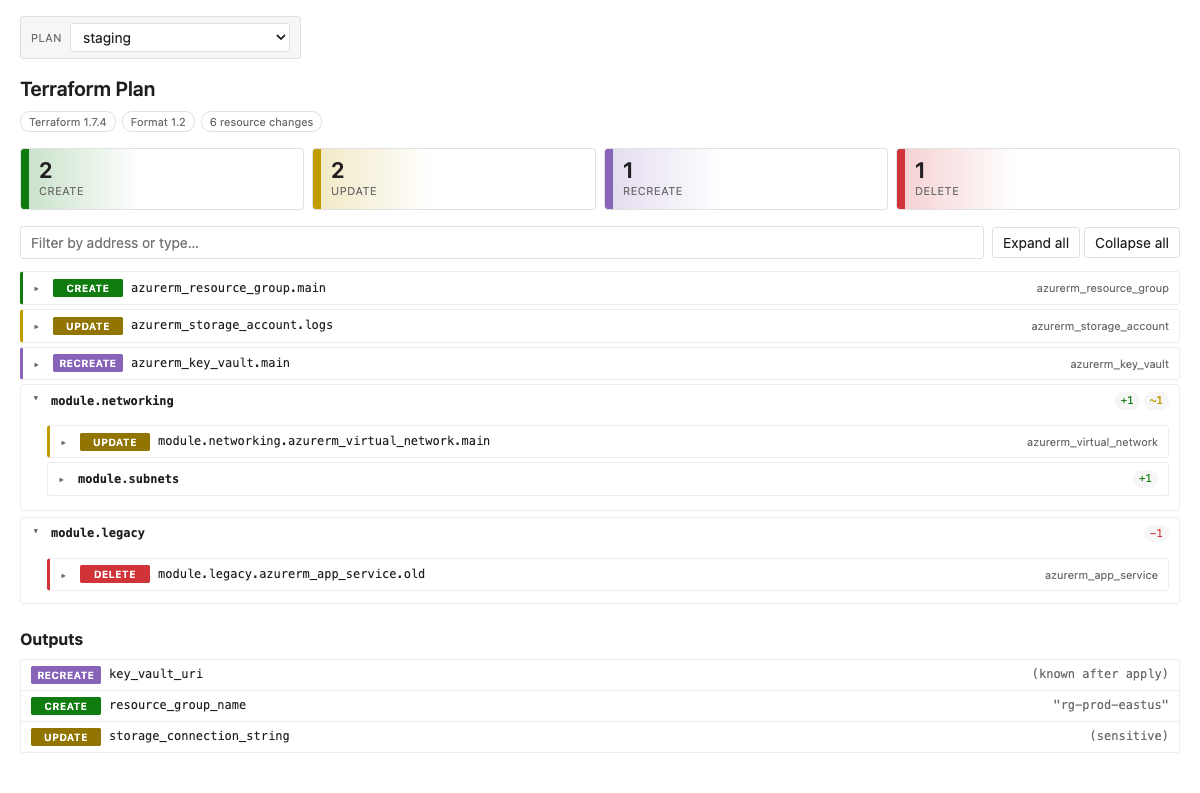
- Module-grouped tree. Resources nest by their
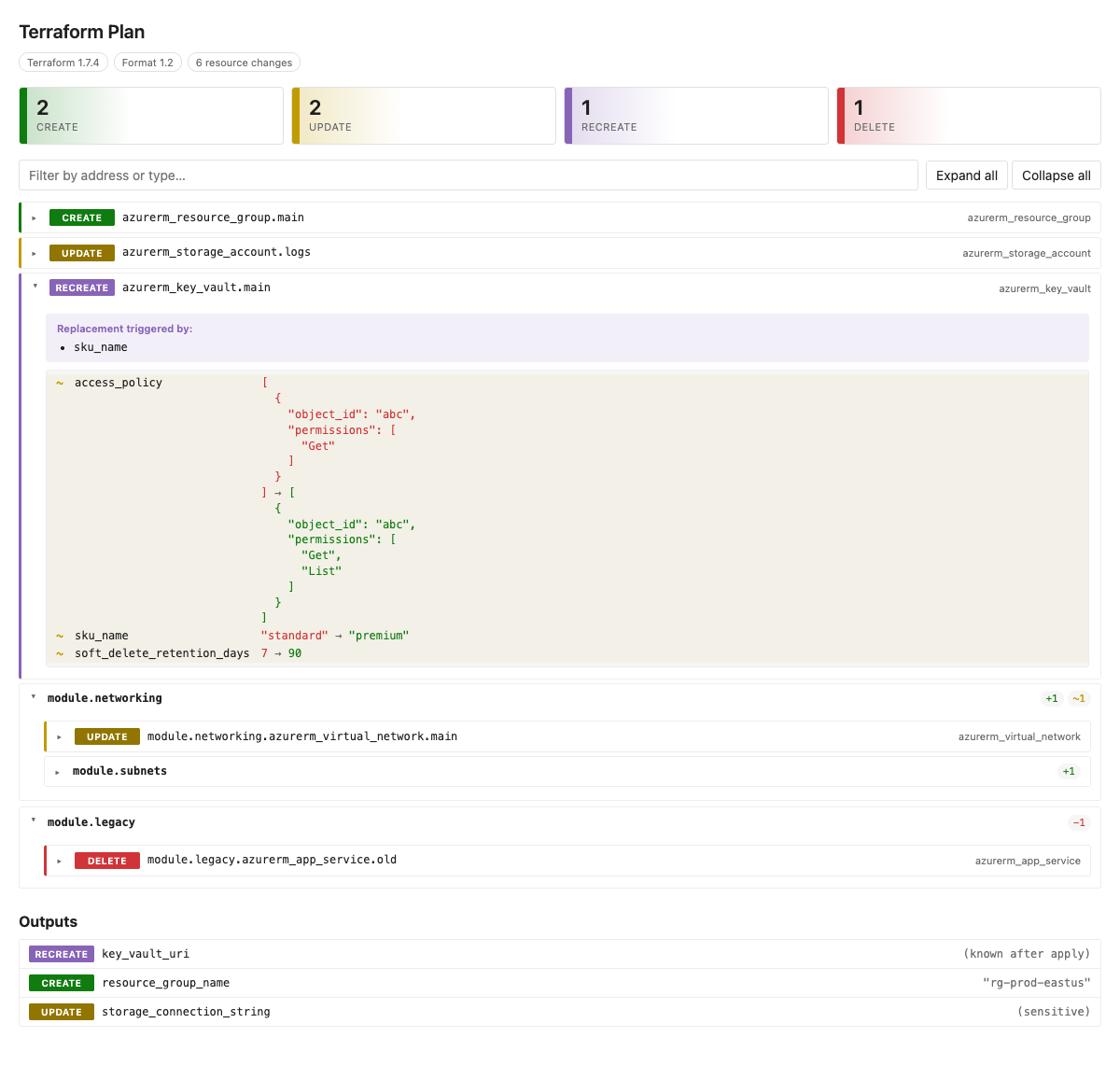
module_address(module.networking.module.subnets). Each module shows rolled-up counts:+1 ~1 −1. - Attribute-level diffs. Expand any resource to see exactly which keys
changed, before → after, with
+ – ~markers. Sensitive values render as(sensitive). Computed values render as(known after apply). - Replace reasons. For
[delete, create]resources, the tab surfaces the plan'sreplace_paths— answering "why is this being recreated?" with one line instead of guesswork. - Click-to-filter summary. Four cards at the top — Create / Update / Recreate / Delete — each clickable. Combine with a search box across resource addresses and types.
- Multi-stage selector. Publish multiple plans per build (dev / staging / prod) and switch between them in a dropdown. The selector hides when only one plan is attached, so single-plan UX stays unchanged.
- Outputs section. Output changes are rendered separately so downstream
consumers don't get blindsided by a removed
connection_string. - Native ADO theming. Colours use ADO theme tokens — light, dark, and high-contrast modes all work without extra config.
Ready to wire it into a pipeline? Head to Usage.